
Skip to content
BizTechFix BizTechFix BizTechFix

Step-By-Step Business Tech Fixes

BizTechFix BizTechFix BizTechFix

Step-By-Step Business Tech Fixes

  • Home
  • About Us
  • Categories
    • POS Terminals
    • Receipt Printers
    • Network Connectivity
    • Peripherals & Accessories
    • System Software
  • Blog
  • Contact Us
  • Home
  • About Us
  • Categories
    • POS Terminals
    • Receipt Printers
    • Network Connectivity
    • Peripherals & Accessories
    • System Software
  • Blog
  • Contact Us
Close

Search

Trending Now:
5 Essential Tools Every Blogger Should Use Music Trends That Will Dominate This Year ChatGPT prompts – AI content & image creation trend Ghibli trend – viral anime-style visual trend
  • https://www.facebook.com/
  • https://twitter.com/
  • https://t.me/
  • https://www.instagram.com/
  • https://youtube.com/
Subscribe
BizTechFix BizTechFix BizTechFix

Step-By-Step Business Tech Fixes

BizTechFix BizTechFix BizTechFix

Step-By-Step Business Tech Fixes

  • Home
  • About Us
  • Categories
    • POS Terminals
    • Receipt Printers
    • Network Connectivity
    • Peripherals & Accessories
    • System Software
  • Blog
  • Contact Us
  • Home
  • About Us
  • Categories
    • POS Terminals
    • Receipt Printers
    • Network Connectivity
    • Peripherals & Accessories
    • System Software
  • Blog
  • Contact Us
Close

Search

Trending Now:
5 Essential Tools Every Blogger Should Use Music Trends That Will Dominate This Year ChatGPT prompts – AI content & image creation trend Ghibli trend – viral anime-style visual trend
  • https://www.facebook.com/
  • https://twitter.com/
  • https://t.me/
  • https://www.instagram.com/
  • https://youtube.com/
Subscribe
Home/POS Terminals/Toast Card Reader Not Working Try These 5 Simple Solutions
Toast Card Reader Not Working Try These 5 Simple Solutions
POS Terminals

Toast Card Reader Not Working Try These 5 Simple Solutions

By BizTechFix
August 4, 2026 4 Min Read
0

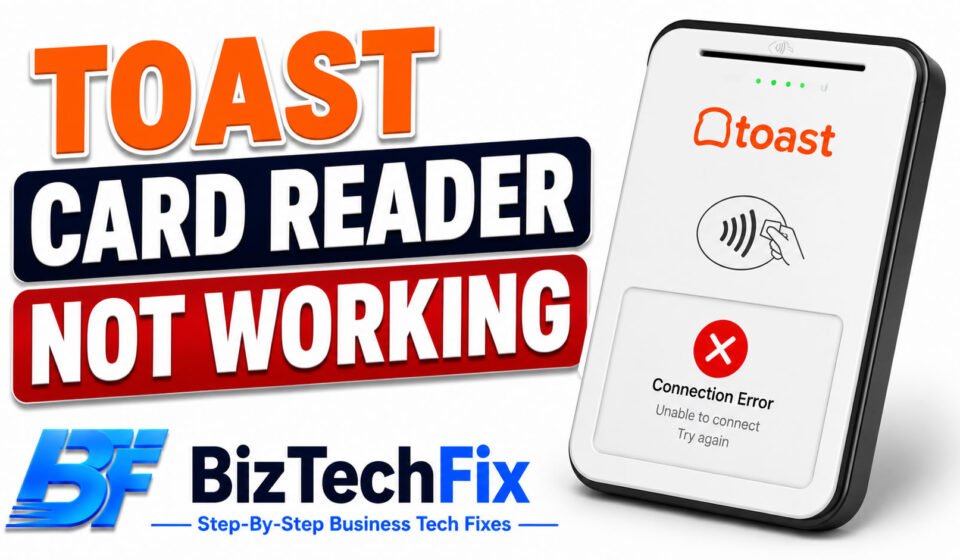
A Toast card reader not working can bring your checkout to a complete stop, since without it customers can’t pay by card at all. Most of the time, a Toast card reader not working comes down to a simple connection or software issue you can resolve yourself, without needing a technician or a replacement.

Why is my Toast card reader not working?

Before trying any fixes, it helps to understand what’s likely behind a Toast card reader not working in the first place.

  • Loose or disconnected cable: A card reader that’s not fully connected to its base or terminal is one of the most common and easiest to fix causes.
  • Software or pairing glitch: Sometimes the card reader loses its paired connection with the Toast terminal after an update or a restart.
  • Outdated Toast software: Running an older version of Toast’s software can cause card reader errors that get resolved in a later update.
  • Card reader hardware fault: Over time, a card reader can wear out, especially with heavy daily use in a busy restaurant environment.
  • Terminal-side configuration issue: If the card reader was recently replaced or reset, incorrect settings on the Toast terminal can prevent it from recognizing the device.

Square Terminal Not Charging? 7 Easy Fixes

5 solutions for a Toast card reader that’s not working

Solution 1: Check the physical connection

Make sure the card reader is firmly connected to its base or directly to the terminal, depending on your setup. A loose connection is one of the fastest things to rule out when your Toast card reader is not working.

Solution 2: Restart the card reader and terminal

Disconnect the card reader, wait about ten seconds, then reconnect it, and restart your Toast terminal as well. This clears many temporary glitches without further troubleshooting.

Solution 3: Reboot your Toast POS system

If restarting the card reader alone doesn’t help, reboot your entire Toast POS system through the settings menu. A full system reboot often resolves a Toast card reader not working issue caused by a deeper software hiccup.

Solution 4: Check for software updates

Go into your Toast terminal’s settings and check for any pending software updates. Installing the latest version can resolve card reader bugs that have already been fixed by Toast.

Solution 5: Re-pair or replace the card reader

If your setup uses a Toast tap direct attach reader or a Toast handheld card reader, try removing it from the terminal’s connected devices list and pairing it again from scratch. If the reader still won’t work after this, it may need a Toast card reader replacement.

For broader hardware troubleshooting, our Peripherals & Accessories category covers common card reader and connection issues across different POS systems.

Toast POS Not Printing Receipts? 7 Easy Fixes

When your card won’t work on Toast

If the card reader itself seems fine but a specific card keeps failing, the issue may be with the card, a network connection problem, or a processor-side decline rather than the reader itself. Checking a different card can help confirm whether the reader or the card is the actual issue.

When to contact Toast support

If you’ve tried every solution above and your Toast card reader is still not working, reach out to Toast’s official support team through Toast Central, since they can help confirm whether a replacement part is needed for a Toast card reader not working due to a hardware fault.

Our POS Terminals category also covers additional troubleshooting guides for other common POS hardware issues.

Frequently Asked Questions

Why is the card reader not working?

If a card reader is not working, it’s usually caused by a loose connection, a software glitch, or an outdated system version, similar to what causes a Toast card reader not working. Restarting both the reader and the connected terminal resolves the issue in many cases.

Why is my Toast POS scanner not working?

A Toast POS scanner not working often points to the same causes as a card reader issue, including a loose connection or a pairing glitch, and usually gets resolved with a restart or a fresh pairing attempt.

How do I reboot my Toast POS system?

You can reboot your Toast POS system through the settings menu on the terminal, selecting the restart or reboot option, which reloads the software and can resolve many temporary glitches.

Why won’t my card work on Toast?

If a card won’t work on Toast, the issue could be with the card itself, a network connection problem, or a processor-side decline rather than the terminal or reader. Trying a different card can help narrow down the cause.

What is Toast software?

Toast software refers to the point of sale platform that powers Toast terminals, handling everything from order taking and payment processing to reporting and kitchen ticket management for restaurants.


Author

BizTechFix

Fast, step-by-step troubleshooting guides for commercial POS terminals, receipt printers, label makers, and business hardware errors. Fix your retail tech instantly with BizTechFix.

Follow Me
Other Articles
Square Reader for Android 7 Essential Setup Tips
Previous

Square Reader for Android 7 Essential Setup Tips

5 Reasons Your Epson TM-T88V Not Printing and How to Fix
Next

5 Reasons Your Epson TM-T88V Not Printing and How to Fix

No Comment! Be the first one.

Leave a Reply Cancel reply

Your email address will not be published. Required fields are marked *

Recent Posts

  • Printer Losing Connection to POS System? Fix the Real Cause
  • Card Reader Keeps Timing Out? Here’s the Real Fix
  • POS Software Won’t Sign In? Here’s What to Check First
  • Receipt Printer Connection Drops After Restart
  • POS Terminal Freezes During Transaction and How to Stop It

Archives

  • August 2026

Categories

  • Network Connectivity
  • Peripherals & Accessories
  • POS Terminals
  • Receipt Printers
  • System Software

Gallery

Hey, I’m Alex. I build frontend experiences and dive into tech, business, and wellness.
  • X
  • Instagram
  • Facebook
  • YouTube
Work Experience

Velora Labs

Frontend Developer

2021-present

Luxora Digital

Web Developer

2019-2021

Averion Studio

Support Specialist

2017-2019

Available for Hire
Get In Touch

Recent Posts

  • Printer Losing Connection to POS System? Fix the Real Cause
    Printer Losing Connection to POS System? Fix the Real Cause
    by BizTechFix
    August 16, 2026
  • Clover Flex Won't Connect to Wifi? 8 Easy Fixes
    Clover Flex Won’t Connect to Wifi? 8 Easy Fixes
    by BizTechFix
    August 2, 2026
  • Toast POS Not Printing Receipts? 7 Easy Fixes
    Toast POS Not Printing Receipts? 7 Easy Fixes
    by BizTechFix
    August 2, 2026
  • Square Terminal Not Charging? 7 Easy Fixes
    Square Terminal Not Charging? 7 Easy Fixes
    by BizTechFix
    August 3, 2026

Search...

Technologies

Figma

Collaborate and design interfaces in real-time.

Notion

Organize, track, and collaborate on projects easily.

DaVinci Resolve 20

Professional video and graphic editing tool.

Illustrator

Create precise vector graphics and illustrations.

Photoshop

Professional image and graphic editing tool.

About Us

Where powerful ideas meet thoughtful storytelling, delivering meaningful insights, practical knowledge, and fresh perspectives that cut through digital noise.

Welcome to the ultimate source for fresh perspectives! Explore curated content to enlighten, entertain and engage global readers.

  • Facebook
  • X
  • Instagram
  • LinkedIn
BizTechFix

Fix your POS terminal, receipt printer, or network issue fast. BizTechFix gives you step-by-step guides for retail and restaurant hardware problems.

  • Facebook
  • X
  • Instagram
  • LinkedIn

Quick Links

  • Home
  • About Us
  • Blog
  • Contact Us

Categories

  • POS Terminals
  • Receipt Printers
  • Network Connectivity
  • Peripherals & Accessories
  • System Software

Our Policies

  • Privacy Policy
  • Term of Use
  • Disclaimer Policy
© 2026 BizTechFix. All rights reserved.