
Skip to content
BizTechFix BizTechFix BizTechFix

Step-By-Step Business Tech Fixes

BizTechFix BizTechFix BizTechFix

Step-By-Step Business Tech Fixes

  • Home
  • About Us
  • Categories
    • POS Terminals
    • Receipt Printers
    • Network Connectivity
    • Peripherals & Accessories
    • System Software
  • Blog
  • Contact Us
  • Home
  • About Us
  • Categories
    • POS Terminals
    • Receipt Printers
    • Network Connectivity
    • Peripherals & Accessories
    • System Software
  • Blog
  • Contact Us
Close

Search

Trending Now:
5 Essential Tools Every Blogger Should Use Music Trends That Will Dominate This Year ChatGPT prompts – AI content & image creation trend Ghibli trend – viral anime-style visual trend
  • https://www.facebook.com/
  • https://twitter.com/
  • https://t.me/
  • https://www.instagram.com/
  • https://youtube.com/
Subscribe
BizTechFix BizTechFix BizTechFix

Step-By-Step Business Tech Fixes

BizTechFix BizTechFix BizTechFix

Step-By-Step Business Tech Fixes

  • Home
  • About Us
  • Categories
    • POS Terminals
    • Receipt Printers
    • Network Connectivity
    • Peripherals & Accessories
    • System Software
  • Blog
  • Contact Us
  • Home
  • About Us
  • Categories
    • POS Terminals
    • Receipt Printers
    • Network Connectivity
    • Peripherals & Accessories
    • System Software
  • Blog
  • Contact Us
Close

Search

Trending Now:
5 Essential Tools Every Blogger Should Use Music Trends That Will Dominate This Year ChatGPT prompts – AI content & image creation trend Ghibli trend – viral anime-style visual trend
  • https://www.facebook.com/
  • https://twitter.com/
  • https://t.me/
  • https://www.instagram.com/
  • https://youtube.com/
Subscribe
Home/POS Terminals/Square Reader for Android 7 Essential Setup Tips
Square Reader for Android 7 Essential Setup Tips
POS Terminals

Square Reader for Android 7 Essential Setup Tips

By BizTechFix
August 4, 2026 4 Min Read
0

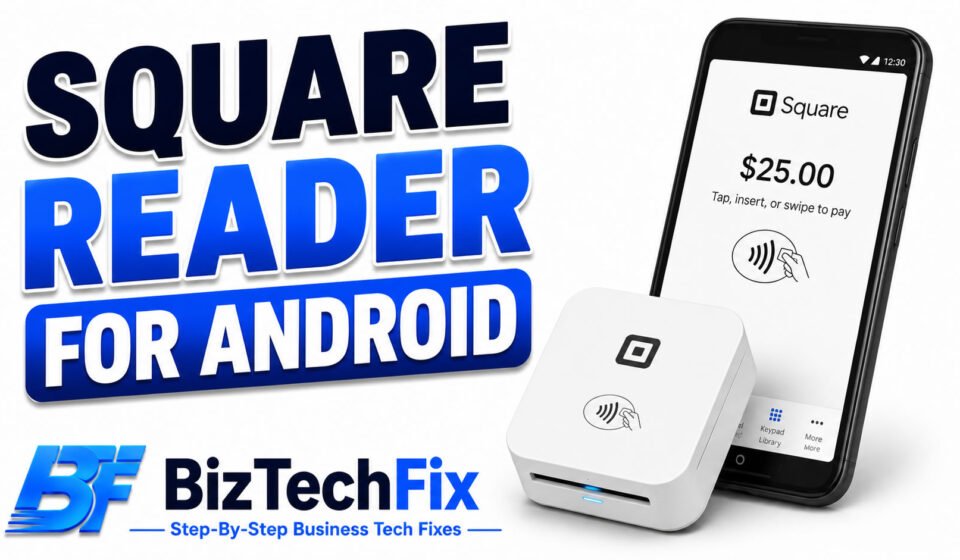
A Square reader for Android is one of the easiest ways for small businesses to start accepting card payments on a phone or tablet. Getting the setup right the first time saves you from connection headaches and failed payments later on. This guide covers everything you need for a smooth Square reader for Android setup, along with common questions business owners ask.

Is a Square reader compatible with Android?

Yes, a Square reader for Android works with most modern Android phones and tablets that support Bluetooth. Before setting one up, it’s worth confirming your specific device meets Square’s minimum software requirements to avoid pairing issues later. If your business also uses a Square terminal alongside a phone or tablet setup, keep in mind that readers and terminals connect and pair separately.

Clover Flex Won’t Connect to Wifi? 8 Easy Fixes

What you’ll need before setting up

  • A charged square reader: Make sure the device has enough battery before pairing, since a low charge can interrupt setup.
  • The Square app installed: Download the Square Point of Sale app from the Google Play Store on your Android device.
  • Bluetooth enabled: Your Android device’s Bluetooth needs to be turned on for the reader to connect.
  • A Square account: You’ll need to be signed into an active Square account before connecting any hardware.

7 tips for setting up your Square reader for Android

1. Charge the reader fully before pairing

A full charge prevents the reader from disconnecting midway through setup, which is one of the most common causes of a failed first pairing attempt.

2. Download the Square app from Google Play

Search for Square Point of Sale directly in the Google Play Store rather than a third-party source, to make sure you’re installing a genuine and current version for your Square reader for Android.

3. Check your Android version

Older Android versions may not support all Square hardware. If your reader isn’t showing up during setup, checking for a compatible operating system version is a good early step.

4. Turn on Bluetooth before opening the app

Enabling Bluetooth first, before launching the Square app, often makes the reader easier to detect during the pairing process.

5. Put the reader in pairing mode correctly

Press and hold the button on the reader until you see a flashing light, which signals it’s ready to be found by your Android device.

6. Connect through the app’s hardware settings

Inside the Square app, go to Settings, then Hardware, and select your reader from the list of available devices to complete pairing.

7. Run a test transaction

Once connected, process a small test sale to confirm your Square reader for Android setup is working correctly with tap, chip, or swipe payments.

For related hardware troubleshooting, our Peripherals & Accessories category covers common card reader and connection issues.

What does a Square card reader cost?

Square offers different reader options depending on your business needs, ranging from a free basic magstripe reader to paid contactless and chip readers. Whether a Square card reader costs anything upfront depends on which model you choose and any current promotions Square is running.

Toast POS Not Printing Receipts? 7 Easy Fixes

Are Square readers free?

Some entry-level Square readers are offered at no cost or a very low cost when signing up for a Square account, though more advanced readers with contactless and chip support typically come with a purchase price. Checking Square’s official pricing page gives the most accurate current costs.

If setup issues continue after trying these tips for your Square reader for Android, our POS Terminals category has more troubleshooting guides, or you can reach out to Square’s official support team directly.

Frequently Asked Questions

What is the cheapest card reader?

Square’s basic magstripe reader is typically the most affordable option, and it’s sometimes offered free with a new account, while contactless and chip readers cost more due to their added payment capabilities.

How do I get a Square card reader?

You can get a Square card reader directly through Square’s website by creating an account and ordering hardware, or in some cases through participating retail stores that carry Square products.

Does a Square card reader cost anything?

Pricing depends on the reader model, with basic versions sometimes free and more advanced contactless and chip readers priced separately, so checking Square’s current pricing page is the most reliable way to confirm costs.

Does a Square reader work with Android?

Yes, Square readers work with most modern Android phones and tablets that support Bluetooth, though it’s best to confirm your specific device against Square’s compatibility list before purchasing.

Are Square readers free?

Square sometimes offers a free basic reader with a new account signup, while more advanced readers with contactless and chip capabilities usually come with a separate cost.


Author

BizTechFix

Fast, step-by-step troubleshooting guides for commercial POS terminals, receipt printers, label makers, and business hardware errors. Fix your retail tech instantly with BizTechFix.

Follow Me
Other Articles
Toast Printer Not Working and 5 Quick Fixes
Previous

Toast Printer Not Working and 5 Quick Fixes

Toast Card Reader Not Working Try These 5 Simple Solutions
Next

Toast Card Reader Not Working Try These 5 Simple Solutions

No Comment! Be the first one.

Leave a Reply Cancel reply

Your email address will not be published. Required fields are marked *

Recent Posts

  • Printer Losing Connection to POS System? Fix the Real Cause
  • Card Reader Keeps Timing Out? Here’s the Real Fix
  • POS Software Won’t Sign In? Here’s What to Check First
  • Receipt Printer Connection Drops After Restart
  • POS Terminal Freezes During Transaction and How to Stop It

Archives

  • August 2026

Categories

  • Network Connectivity
  • Peripherals & Accessories
  • POS Terminals
  • Receipt Printers
  • System Software

Gallery

Hey, I’m Alex. I build frontend experiences and dive into tech, business, and wellness.
  • X
  • Instagram
  • Facebook
  • YouTube
Work Experience

Velora Labs

Frontend Developer

2021-present

Luxora Digital

Web Developer

2019-2021

Averion Studio

Support Specialist

2017-2019

Available for Hire
Get In Touch

Recent Posts

  • Printer Losing Connection to POS System? Fix the Real Cause
    Printer Losing Connection to POS System? Fix the Real Cause
    by BizTechFix
    August 16, 2026
  • Clover Flex Won't Connect to Wifi? 8 Easy Fixes
    Clover Flex Won’t Connect to Wifi? 8 Easy Fixes
    by BizTechFix
    August 2, 2026
  • Toast POS Not Printing Receipts? 7 Easy Fixes
    Toast POS Not Printing Receipts? 7 Easy Fixes
    by BizTechFix
    August 2, 2026
  • Square Terminal Not Charging? 7 Easy Fixes
    Square Terminal Not Charging? 7 Easy Fixes
    by BizTechFix
    August 3, 2026

Search...

Technologies

Figma

Collaborate and design interfaces in real-time.

Notion

Organize, track, and collaborate on projects easily.

DaVinci Resolve 20

Professional video and graphic editing tool.

Illustrator

Create precise vector graphics and illustrations.

Photoshop

Professional image and graphic editing tool.

About Us

Where powerful ideas meet thoughtful storytelling, delivering meaningful insights, practical knowledge, and fresh perspectives that cut through digital noise.

Welcome to the ultimate source for fresh perspectives! Explore curated content to enlighten, entertain and engage global readers.

  • Facebook
  • X
  • Instagram
  • LinkedIn
BizTechFix

Fix your POS terminal, receipt printer, or network issue fast. BizTechFix gives you step-by-step guides for retail and restaurant hardware problems.

  • Facebook
  • X
  • Instagram
  • LinkedIn

Quick Links

  • Home
  • About Us
  • Blog
  • Contact Us

Categories

  • POS Terminals
  • Receipt Printers
  • Network Connectivity
  • Peripherals & Accessories
  • System Software

Our Policies

  • Privacy Policy
  • Term of Use
  • Disclaimer Policy
© 2026 BizTechFix. All rights reserved.