
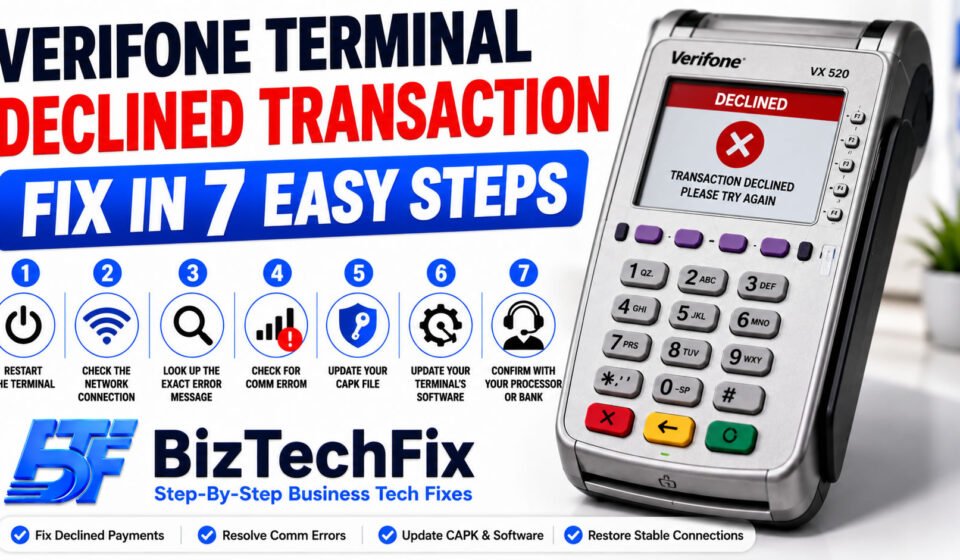
Verifone Terminal Declined Transaction Fix in 7 Easy Steps
A declined transaction on your Verifone terminal can happen even when the customer’s card is perfectly fine, and it usually points to something on the terminal or network side rather than the card itself. This Verifone terminal declined transaction fix guide walks through the most common causes and the exact steps to get payments going through again, so you can apply the right Verifone terminal declined transaction fix without guessing.
Why does a Verifone terminal decline transactions?
Before starting any Verifone terminal declined transaction fix, it helps to understand what’s actually causing the decline. Here are the most common reasons.
- Communication or network error: A weak or dropped connection between the terminal and the payment network is one of the most frequent reasons behind a declined transaction, often showing up as a comm error on the screen.
- Datawire error 1007: This specific error points to a communication failure between your Verifone card reader and the payment gateway, and it’s a common cause behind transactions failing to process.
- Outdated CAPK file: CAPK, short for Card Authority Public Key, is used to verify chip card security. An outdated or missing CAPK file can cause chip transactions to decline even when the card itself is valid.
- Processor or bank-side decline: Sometimes the decline isn’t a terminal issue at all, but comes directly from the customer’s bank or your payment processor flagging the transaction.
- Outdated terminal software: Running old software on your Verifone terminal can cause processing errors that have already been fixed in a newer update.
- Terminal configuration issues: Incorrect settings tied to your merchant account or processor setup can cause otherwise valid transactions to fail.
Square Terminal Not Charging? 7 Easy Fixes
Verifone terminal declined transaction fix step by step
Work through these steps in order for the fastest Verifone terminal declined transaction fix.
Step 1: Restart the terminal
Turn the terminal off completely, wait about ten seconds, then power it back on. This clears many temporary glitches and is worth trying before any other Verifone terminal declined transaction fix.
Step 2: Check the network connection
Confirm your Verifone terminal has a stable connection, whether over Ethernet, wifi, or a phone line. A weak or dropped connection is one of the most common triggers behind a declined transaction and often the fastest thing to rule out.
Step 3: Look up the exact error message
If your terminal shows a specific code, such as datawire error 1007, note it down. Knowing the exact error, rather than just “declined,” makes it much easier to apply the right Verifone terminal declined transaction fix instead of guessing.
Step 4: Check for a comm error
A comm error on a credit card machine usually means the terminal couldn’t reach the payment network at all, and it’s a very common trigger behind needing a Verifone terminal declined transaction fix. Restarting your router or switching to a backup connection, if available, often resolves this quickly.
Step 5: Update your CAPK file
If chip transactions specifically are declining while tap or swipe still works, your CAPK file may be outdated. Most processors can push an updated CAPK file to your terminal remotely, so contacting your processor is often the quickest way to resolve this.
Step 6: Update your terminal’s software
Check for available software updates on your Verifone terminal and install them if found. Outdated software is a common but often overlooked cause of ongoing transaction declines, and it can also trigger unrelated issues like a Verifone VX520 no line error if left unaddressed for too long.
If you’re seeing a specific code on screen, checking a list of Verifone VX 520 error codes can help you confirm whether the issue is tied to your declined transaction or a separate problem entirely.
Step 7: Confirm with your processor or bank
If the terminal itself checks out fine, contact your payment processor to confirm there isn’t an outage or a flag on your merchant account causing declines on their end.
For broader connectivity issues affecting your terminal, our Network Connectivity guides cover common wifi and network problems in more detail.
When to contact Verifone or your processor
If you’ve worked through this entire Verifone terminal declined transaction fix guide and transactions are still failing, it’s worth reaching out to Verifone’s official support team directly, since the issue may require account-level troubleshooting on their end.
Our POS Terminals category also covers guides for other common Verifone error codes, including issues specific to the VX520 and other popular models.
Preventing declined transactions from happening again
Once transactions are processing normally again, a few habits can help avoid needing another Verifone terminal declined transaction fix down the line. Keep your Verifone terminal’s software and CAPK files updated, monitor your network connection regularly, and address any comm errors as soon as they appear rather than waiting for a pattern of declines to build up.
Verifone VX520 Error 5 Fix Using 6 Simple Steps
Frequently Asked Questions
How do I fix my credit card machine?
Start by restarting the machine and checking its network connection, since these two steps resolve a large share of issues. If the machine shows a specific error code, look that code up directly, as it will point you toward a more targeted fix than general troubleshooting alone.
What does datawire error 1007 mean?
Datawire error 1007 indicates a communication failure between your terminal and the payment gateway, usually caused by a network connection issue rather than a problem with the terminal’s hardware itself.
What does comm error mean on a credit card machine?
A comm error means the terminal is unable to establish a connection with the payment network, whether through Ethernet, wifi, or a phone line, which prevents any transaction from being processed until the connection is restored.
How do I reset my Verifone VX520?
To reset a Verifone VX520, hold the power button until the terminal restarts, or access the settings menu for a full factory reset if a simple restart doesn’t resolve the underlying issue.
What is CAPK?
CAPK stands for Card Authority Public Key, a security file used by payment terminals to verify chip cards during a transaction. An outdated CAPK file can cause chip transactions to fail even when the card and terminal are otherwise working correctly.