
Skip to content
BizTechFix BizTechFix BizTechFix

Step-By-Step Business Tech Fixes

BizTechFix BizTechFix BizTechFix

Step-By-Step Business Tech Fixes

  • Home
  • About Us
  • Categories
    • POS Terminals
    • Receipt Printers
    • Network Connectivity
    • Peripherals & Accessories
    • System Software
  • Blog
  • Contact Us
  • Home
  • About Us
  • Categories
    • POS Terminals
    • Receipt Printers
    • Network Connectivity
    • Peripherals & Accessories
    • System Software
  • Blog
  • Contact Us
Close

Search

Trending Now:
5 Essential Tools Every Blogger Should Use Music Trends That Will Dominate This Year ChatGPT prompts – AI content & image creation trend Ghibli trend – viral anime-style visual trend
  • https://www.facebook.com/
  • https://twitter.com/
  • https://t.me/
  • https://www.instagram.com/
  • https://youtube.com/
Subscribe
BizTechFix BizTechFix BizTechFix

Step-By-Step Business Tech Fixes

BizTechFix BizTechFix BizTechFix

Step-By-Step Business Tech Fixes

  • Home
  • About Us
  • Categories
    • POS Terminals
    • Receipt Printers
    • Network Connectivity
    • Peripherals & Accessories
    • System Software
  • Blog
  • Contact Us
  • Home
  • About Us
  • Categories
    • POS Terminals
    • Receipt Printers
    • Network Connectivity
    • Peripherals & Accessories
    • System Software
  • Blog
  • Contact Us
Close

Search

Trending Now:
5 Essential Tools Every Blogger Should Use Music Trends That Will Dominate This Year ChatGPT prompts – AI content & image creation trend Ghibli trend – viral anime-style visual trend
  • https://www.facebook.com/
  • https://twitter.com/
  • https://t.me/
  • https://www.instagram.com/
  • https://youtube.com/
Subscribe
Home/Receipt Printers/Star TSP143 Paper Jam Fix Without Damaging the Printer
Star TSP143 Paper Jam Fix Without Damaging the Printer
Receipt Printers

Star TSP143 Paper Jam Fix Without Damaging the Printer

By BizTechFix
August 5, 2026 4 Min Read
0

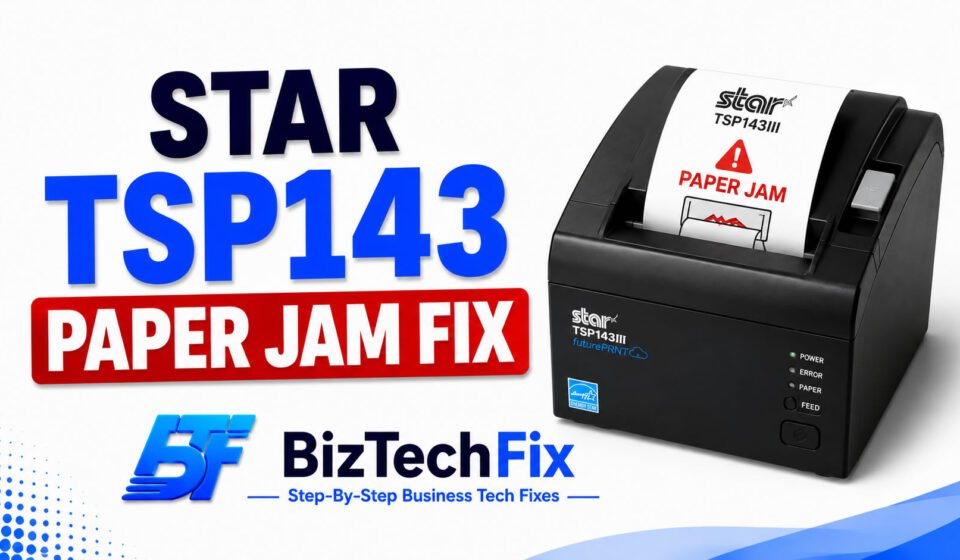
A paper jam on your Star TSP143 can stop your checkout line cold, and pulling at stuck paper the wrong way can end up damaging the printer instead of fixing it. This Star TSP143 paper jam fix walks through the safe way to clear a jam and get your printer running again, without risking damage to the internal mechanism.

Why does the Star TSP143 jam?

Before applying a Star TSP143 paper jam fix, it helps to know what usually causes it.

  • Paper loaded incorrectly: If the roll isn’t seated straight or the edge isn’t feeding evenly, the paper can catch and jam as it feeds through.
  • Torn or damaged paper edge: A ragged or torn leading edge on the roll is more likely to catch inside the printer mechanism.
  • Debris in the paper path: Dust or small paper fragments left behind from a previous jam can cause new paper to jam again.
  • Wrong paper type or width: Using paper that’s the wrong width or thickness for the TSP143 can lead to repeated jamming.
  • Worn de-curl mechanism: Over time, the part of the printer that flattens the paper as it feeds can wear down, making jams more frequent.

Toast Printer Not Working and 5 Quick Fixes

Star TSP143 paper jam fix step by step

Follow these steps carefully, since forcing stuck paper can damage the printer instead of clearing the jam.

Step 1: Turn off the printer

Switch off the power using the button on the side of the unit before doing anything else. Working on a powered-off printer is safer and reduces the risk of damaging internal components.

Step 2: Open the printer cover

Use the release lever to open the cover rather than prying it open by force. The cover is designed to open smoothly when the lever is used correctly.

Step 3: Carefully remove the jammed paper

Gently pull out the stuck paper, checking that no small torn pieces are left behind in the paper path or near the exit slot. Leftover fragments are a common reason the same jam happens again shortly after being cleared. Avoid touching the print head area, since it can stay hot for a short time after printing.

Step 4: Reload the paper correctly

Load a fresh section of paper, making sure the leading edge is straight and feeds evenly into the mechanism. A crooked or torn edge is one of the most common causes of a repeat jam right after a Star TSP143 paper jam fix.

Step 5: Close the cover and test

Close the printer cover until it clicks into place, then power the printer back on and run a test print to confirm the jam is fully cleared.

If paper continues jamming after following this Star TSP143 paper jam fix, check whether you’re using the correct paper width and thickness for your model, since mismatched paper is a common hidden cause of repeated jams.

For related printer troubleshooting, our Receipt Printers category covers other common issues across Star Micronics and other brands.

PAX Terminal Not Connecting to Network Solved With 6 Fixes

How to prevent future paper jams

A few habits can reduce how often your Star TSP143 jams going forward. Always pull the paper’s leading edge in a straight line when loading a new roll, and avoid touching or pulling at paper while it’s actively printing or being cut. Keeping the paper path clear of dust and fragments after clearing a jam also helps prevent the same issue from repeating.

When to contact Star Micronics support

If jams keep happening even after a proper Star TSP143 paper jam fix, the de-curl mechanism or another internal part may be worn out. In that case, reach out to Star Micronics’ official support team or your printer’s original seller, since forcing a stuck part can cause further damage.

Our POS Terminals category also covers troubleshooting guides for the terminals commonly paired with Star receipt printers.

Frequently Asked Questions

How do I unjam a printer?

Turn the printer off first, then open the cover using the release mechanism rather than forcing it. Carefully remove the stuck paper, check for leftover fragments, and reload fresh paper with the edge feeding in straight before closing the cover.

Why does my printer keep jamming paper?

Repeated jamming is often caused by paper loaded unevenly, a torn leading edge, leftover paper fragments from a previous jam, or using the wrong paper width for your specific printer model.

How do I open the Star TSP143 cover safely?

Use the release lever located on the printer to open the cover smoothly, rather than prying or forcing it open, which can damage the hinge or locking mechanism over time.

Can pulling stuck paper damage my receipt printer?

Yes, forcibly pulling stuck paper can damage internal components like the de-curl mechanism or print head area, so it’s safer to open the cover properly first and remove the paper gently.

What paper size does the Star TSP143 use?

The Star TSP143 typically uses standard thermal paper rolls sized for receipt printing, and using the correct width recommended by Star Micronics helps prevent feeding and jamming issues.


Author

BizTechFix

Fast, step-by-step troubleshooting guides for commercial POS terminals, receipt printers, label makers, and business hardware errors. Fix your retail tech instantly with BizTechFix.

Follow Me
Other Articles
Epson TM-T20 Offline Error Fix That Actually Works
Previous

Epson TM-T20 Offline Error Fix That Actually Works

Star Micronics Printer Not Cutting Paper Fixed in Minutes
Next

Star Micronics Printer Not Cutting Paper Fixed in Minutes

No Comment! Be the first one.

Leave a Reply Cancel reply

Your email address will not be published. Required fields are marked *

Recent Posts

  • Printer Losing Connection to POS System? Fix the Real Cause
  • Card Reader Keeps Timing Out? Here’s the Real Fix
  • POS Software Won’t Sign In? Here’s What to Check First
  • Receipt Printer Connection Drops After Restart
  • POS Terminal Freezes During Transaction and How to Stop It

Archives

  • August 2026

Categories

  • Network Connectivity
  • Peripherals & Accessories
  • POS Terminals
  • Receipt Printers
  • System Software

Gallery

Hey, I’m Alex. I build frontend experiences and dive into tech, business, and wellness.
  • X
  • Instagram
  • Facebook
  • YouTube
Work Experience

Velora Labs

Frontend Developer

2021-present

Luxora Digital

Web Developer

2019-2021

Averion Studio

Support Specialist

2017-2019

Available for Hire
Get In Touch

Recent Posts

  • Printer Losing Connection to POS System? Fix the Real Cause
    Printer Losing Connection to POS System? Fix the Real Cause
    by BizTechFix
    August 16, 2026
  • Clover Flex Won't Connect to Wifi? 8 Easy Fixes
    Clover Flex Won’t Connect to Wifi? 8 Easy Fixes
    by BizTechFix
    August 2, 2026
  • Toast POS Not Printing Receipts? 7 Easy Fixes
    Toast POS Not Printing Receipts? 7 Easy Fixes
    by BizTechFix
    August 2, 2026
  • Square Terminal Not Charging? 7 Easy Fixes
    Square Terminal Not Charging? 7 Easy Fixes
    by BizTechFix
    August 3, 2026

Search...

Technologies

Figma

Collaborate and design interfaces in real-time.

Notion

Organize, track, and collaborate on projects easily.

DaVinci Resolve 20

Professional video and graphic editing tool.

Illustrator

Create precise vector graphics and illustrations.

Photoshop

Professional image and graphic editing tool.

About Us

Where powerful ideas meet thoughtful storytelling, delivering meaningful insights, practical knowledge, and fresh perspectives that cut through digital noise.

Welcome to the ultimate source for fresh perspectives! Explore curated content to enlighten, entertain and engage global readers.

  • Facebook
  • X
  • Instagram
  • LinkedIn
BizTechFix

Fix your POS terminal, receipt printer, or network issue fast. BizTechFix gives you step-by-step guides for retail and restaurant hardware problems.

  • Facebook
  • X
  • Instagram
  • LinkedIn

Quick Links

  • Home
  • About Us
  • Blog
  • Contact Us

Categories

  • POS Terminals
  • Receipt Printers
  • Network Connectivity
  • Peripherals & Accessories
  • System Software

Our Policies

  • Privacy Policy
  • Term of Use
  • Disclaimer Policy
© 2026 BizTechFix. All rights reserved.